StoryWhy I built Proposition Studio
Working with AI-generated images needs a dedicated environment, not a tangle of nodes or a chat window. That is why I built Proposition Studio.
I am an architect, and I have been generating images with AI since Midjourney V1 and the first Stable Diffusion models: first for university, then, as the models got better, more and more for clients. For a long time I made them in a chat window, where a good result was a matter of luck. This is the story of how that window became an app where this work is comfortable and repeatable.
The first AI images were my inspiration in competitions: they let me step outside the frame I had been taught to work in. Later I used them for house and interior concepts for clients. They were not perfect iterations, because the models could not yet reproduce everything faithfully, and a chat window made it hard to talk to them.
01Archive
Beyond the frame.
I first used AI for an architecture competition, still at university. I was looking for inspiration in the images: things I would not have drawn myself, because at university I was told what could be combined and what could not. AI has no such frame.
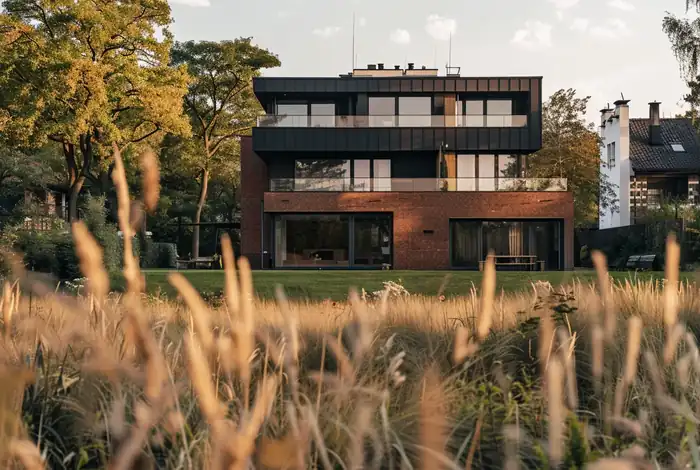
Over the years those images grew into series: houses, townhouses, a city, a pavilion, a stadium. Here they all are. My projects came out of them, and much later so did the system that reads intent in the app.
02The problem
Every commission lived in a different chat window.
Image models are now good enough to turn a screenshot from a 3D program into an image that looks like a photo of the finished building. Once people saw that, the commissions started coming, and I made all of them in a chat: a message, an image, a message, a correction. The first image almost never meets expectations. The brick needs to be lighter, the mood and the colors need to change, or the frame needs to feel more cinematic.
A client would come back two weeks later: “a different brick, a different RAL on the railings”. By then I had five other commissions behind me and was digging through chat history for the conversation where it had worked. The prompt that worked differed by one sentence from ten that did not. Every one of them started with the same block of rules, because without it the model changed my design: it straightened the perspective, moved windows and added details I never asked for.
1. PERSPECTIVE IS PIXEL-LOCKED:(...)- Do NOT straighten verticals, correct lens distortion, re-center the composition, rotate, zoom, tilt, or "improve" the framing in any way2. GEOMETRY IS SACRED:- Count the windows in the input. Your output must have the SAME number in the SAME positionsThink of yourself as a texture artist, not an architect.The architecture is done. You dress the surfaces.
The building had no place of its own. It had a thread.
I wanted projects, a version history I could go back to, an archive for failed attempts, a place for references, selecting a region on the image, and many variants from one source. I did not find that in an existing tool.
03The road
I built it for myself first.
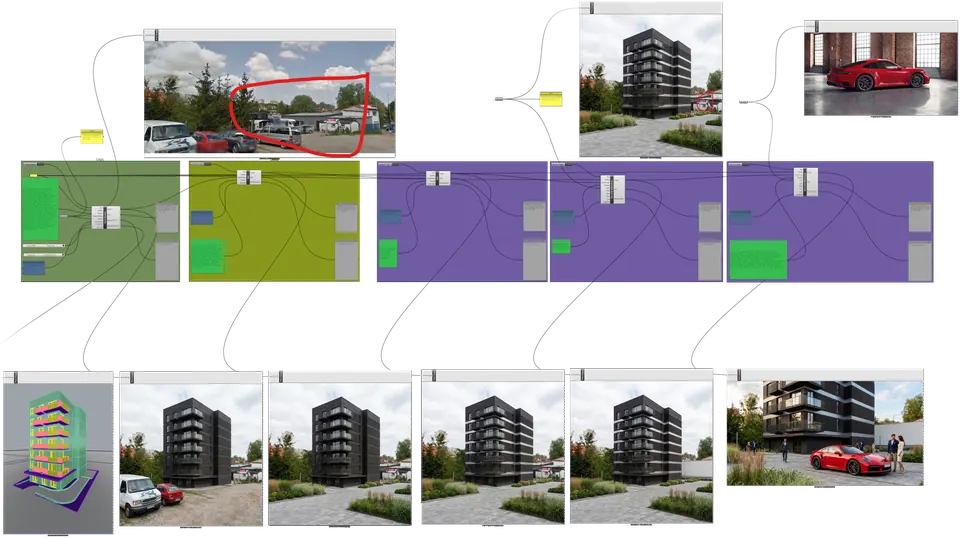
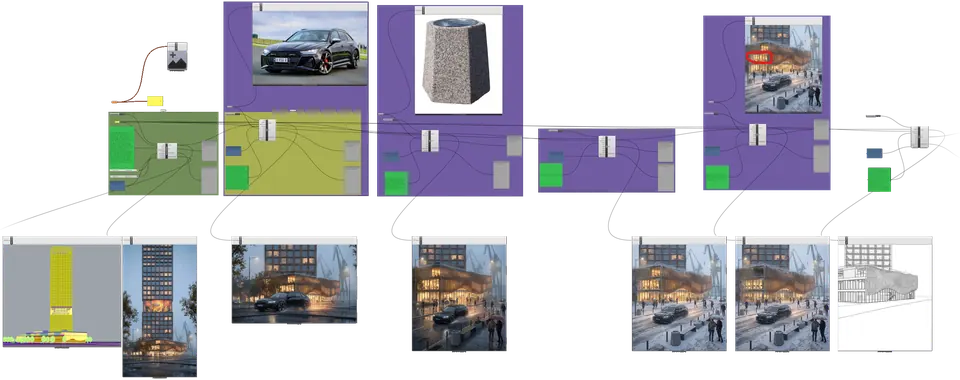
Before there was an app, I tried to automate my own work. The first prototypes were Grasshopper graphs: a site photo or a view from the model, references and successive generations, all connected by nodes. It worked, but a graph gave me automation, not control. I could not select a part and say “only here”, point at where a reference should go, save a result other than as a file in a folder, or compare two versions in one frame. The graphs grew into a Rhino plugin, where the visualization appeared without leaving the model, then a Mac app, and since June 2026 Proposition Studio has run in the browser. Version 1.0 came out on 6 October 2026, and since 14 October access has been open.
04What I built
A real, proper app.
Proposition Studio has no nodes and no chat window. You upload a view from a 3D program, a model without materials, a physical model, a sketch or a photo, and you get a visualization in the same framing. From there you work as you would at a desk: you show what should change and put the reference where it belongs. Every version stays in the project.
 Proposition Studio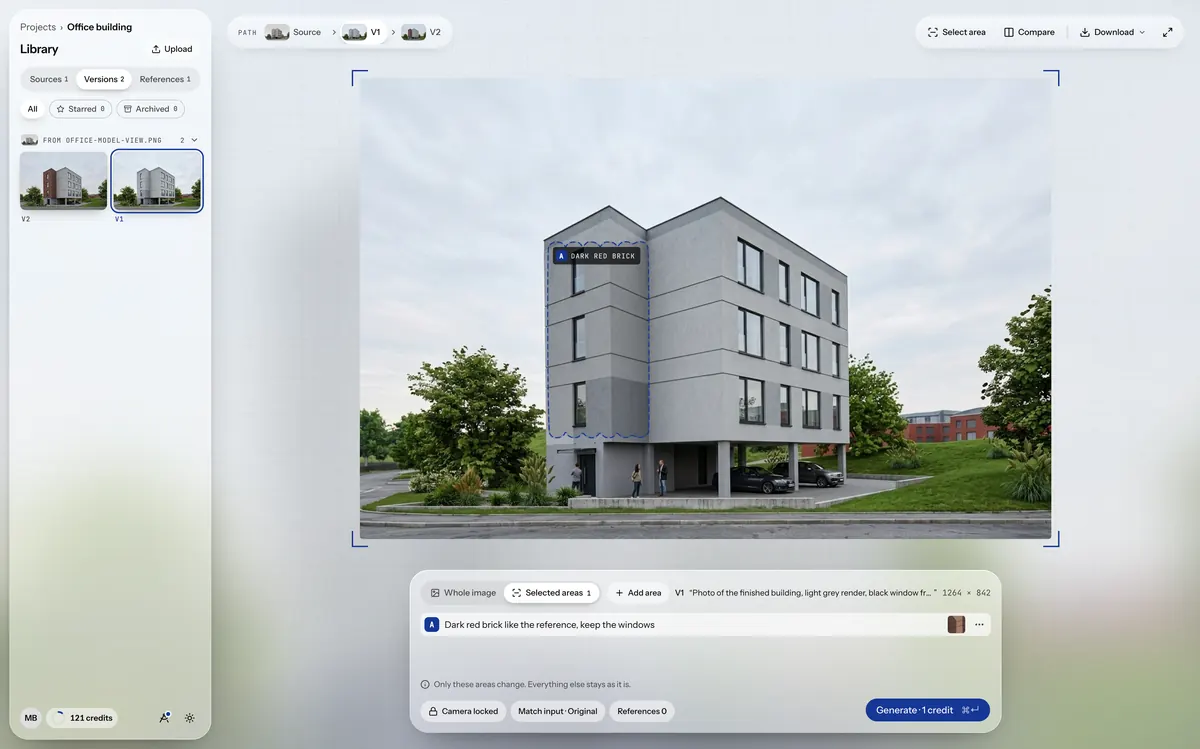
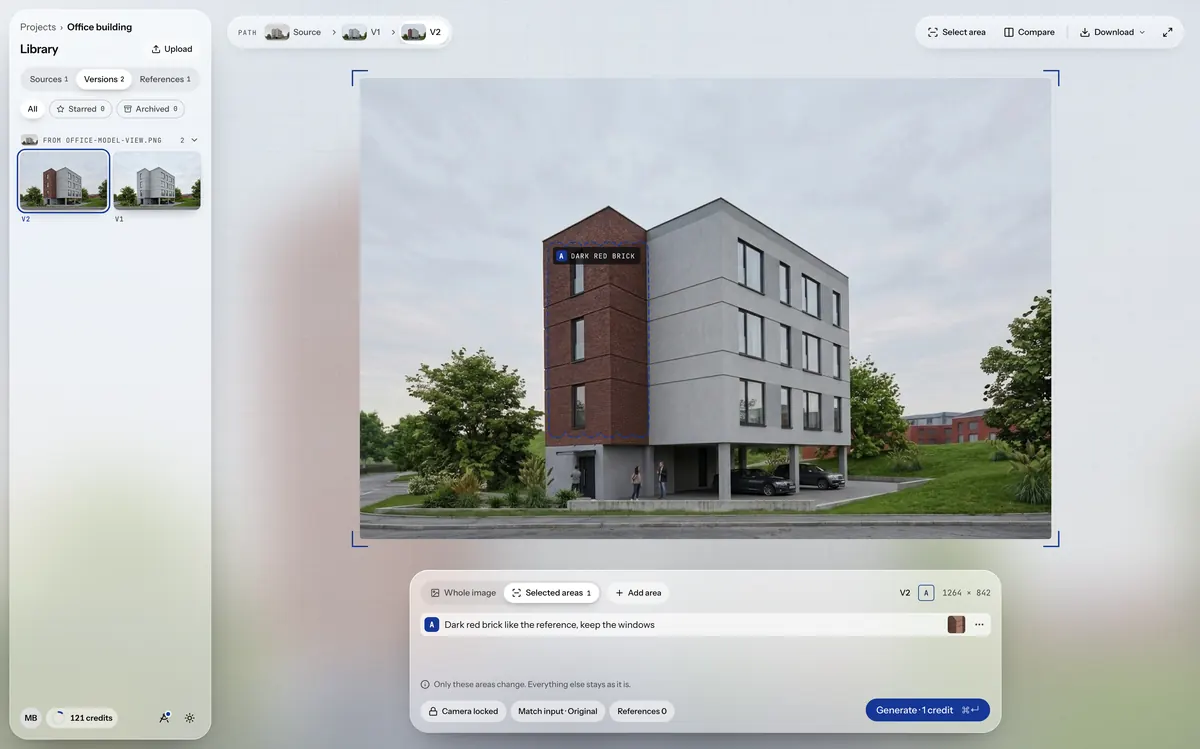
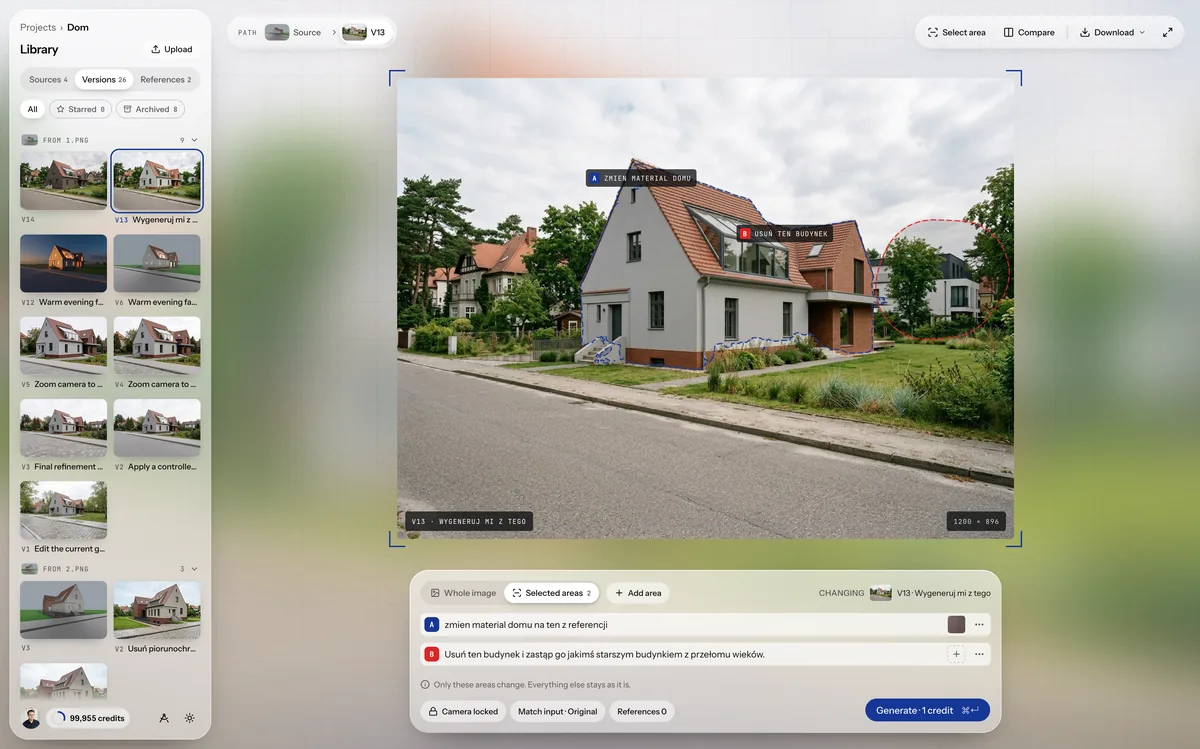
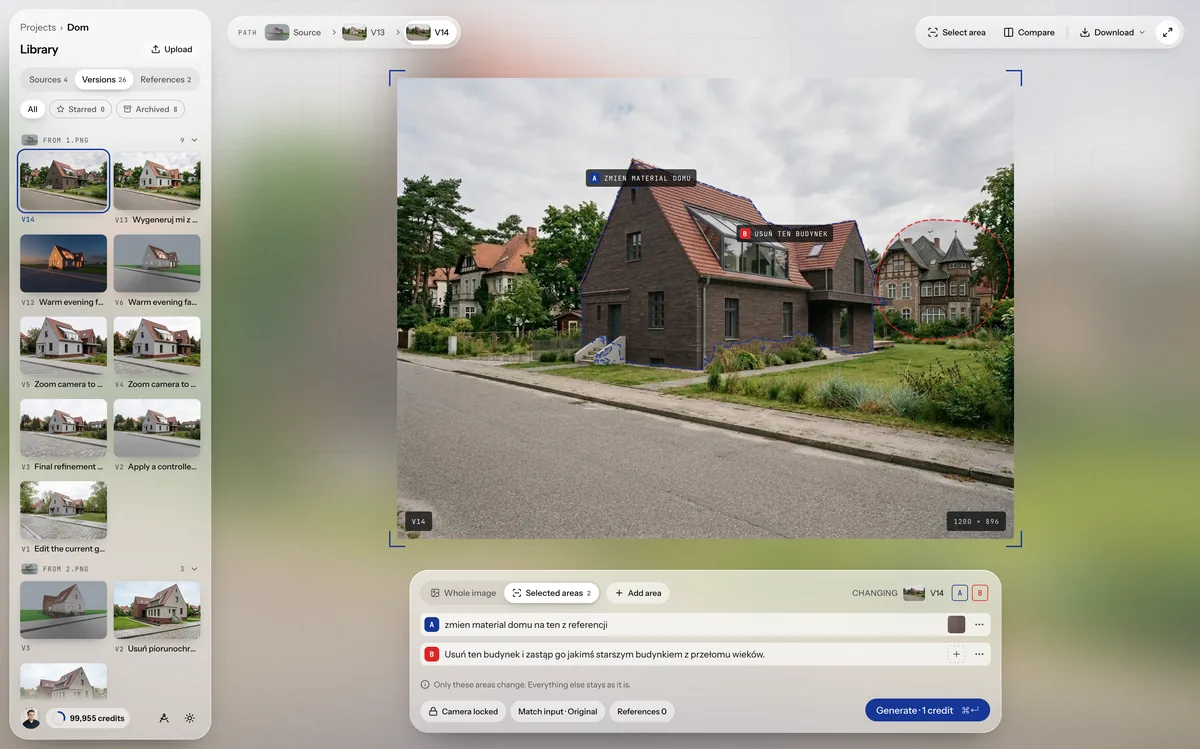
- The rest stays.The camera is locked and only what you select changes. Windows, proportions and framing stay where they were, so you can lay any version over the source and compare them one to one.
- The building has its own project.Sources, versions and references live in one place, not in a chat thread. You can go back to every attempt, including the failed ones.
- The whole path of your iteration.Every version remembers what it was made from. You can go back to any step and start a new branch from it, without breaking what you already have.
05Under the hood
My own system reads intent.
You write a few words, for example “winter, snow on the roof”. The system understands what should change and what must stay in place, and rewrites it into an instruction the image model does not have to guess at.
I built it on thousands of my own attempts and prompts gathered over more than three years, in this app and in other tools. From them I mapped what an architect means when writing “darker brick”, “more life in the square” or “evening”. You run it with the Enhance button, and it costs no extra credits.
Below is one of my archive images with six short prompts. The “System reads” field shows the system’s real answers, unedited.
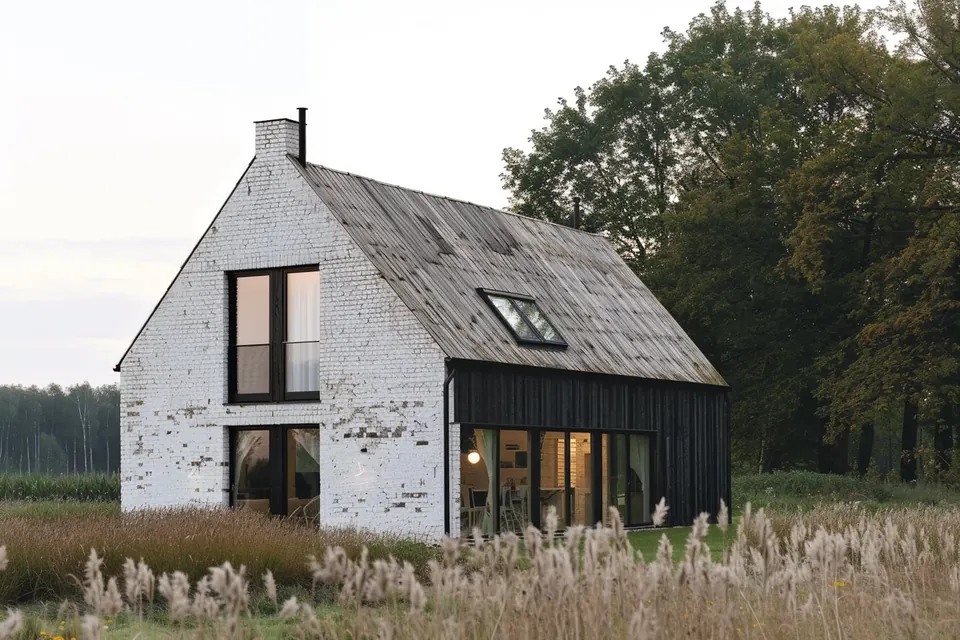
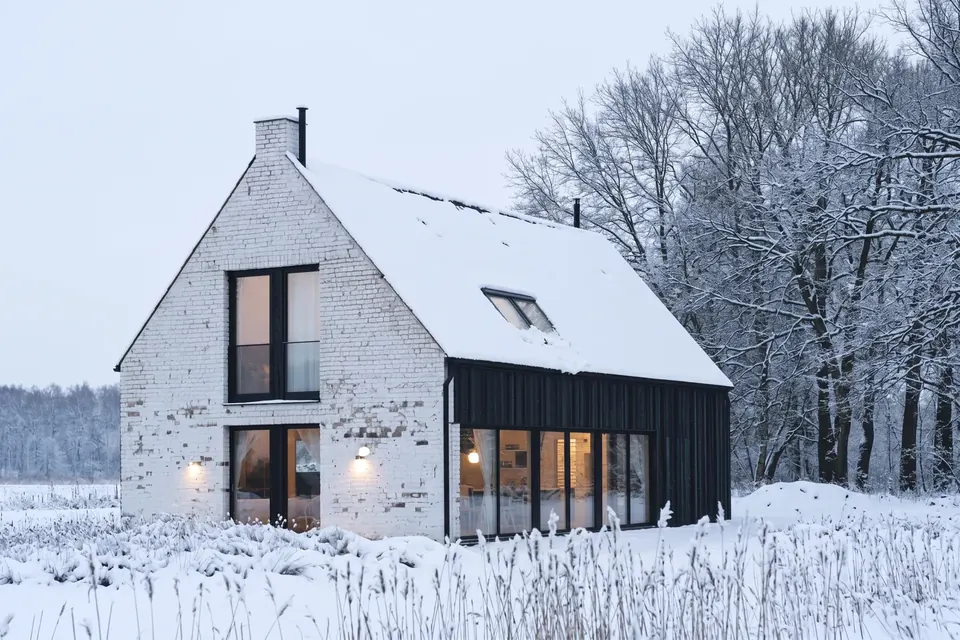
Transform the scene into winter by covering the pitched roof, surrounding meadow, and background trees with a natural blanket of fresh snow. Keep the building geometry, facade materials, window openings, and camera framing strictly identical to the source image.
06Today
My clients do it themselves.
I gave Proposition Studio to the people I used to make visualizations for. Clients now do their own interiors in it, friends do their own houses, and some of them simply use it to edit images and prepare marketing material. I iterate faster and more comfortably than I ever did in a chat, and I can repeat a result. It began with a chat window. It ended with an app of my own.
07What it does not do
The limits, honestly.
- It does not read the 3D model.It works on an image, so it knows nothing about dimensions, layers or materials from the model. It knows as much as the screenshot shows.
- It gives no guarantees.The camera lock and the selections strongly limit what the model can change, but it is still a generative model. Now and then it adds a detail or changes something next to the selection, so I compare every version with the source.
- It does not replace a render for documentation.Nor a polished visualization for a large campaign. It is for a conversation about direction, with a client or within the team.
The first version of this text appeared on 6 October 2026 on mateuszbochynski.com. This version has been expanded and updated since access opened.
StartAccess
Try it yourself.
Upload any input image. It can be a screenshot of your model or the last photo in your phone’s gallery. Write a prompt and see how it works. You start with 3 free credits, no card required.