New house facadeProposition Studio
See your house with new brick or a new facade.
Upload an image of your house. Paint over the walls, attach a photo of the brick you are considering, and compare several facades from the same view before you choose.
01Example
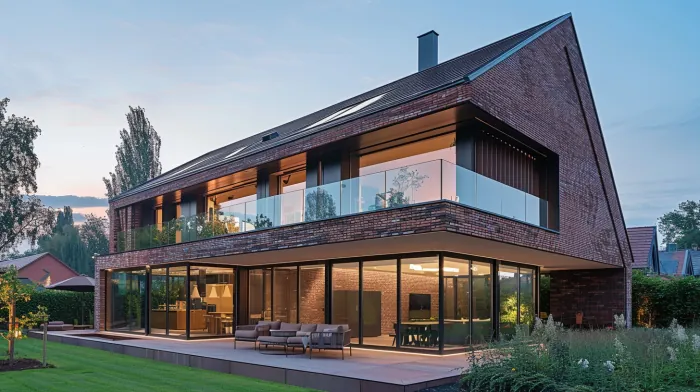
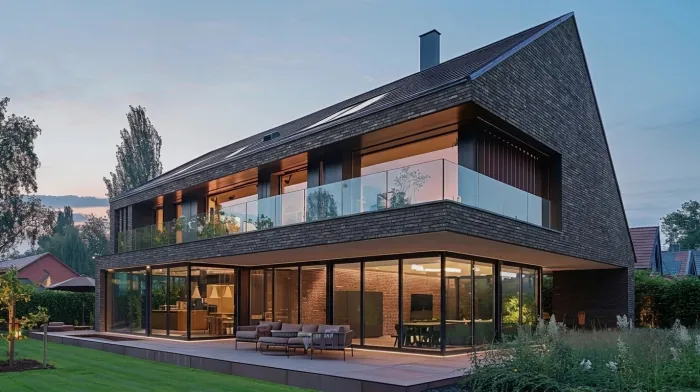
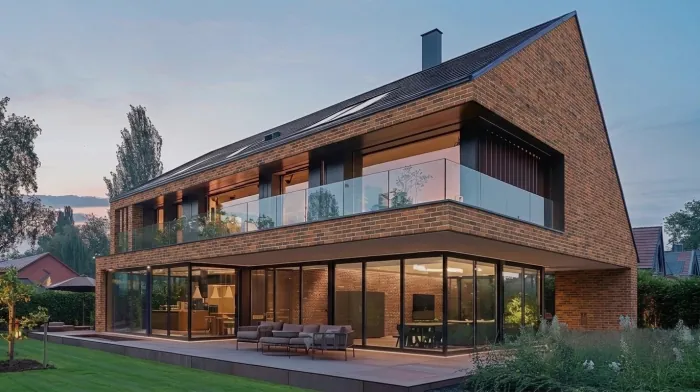
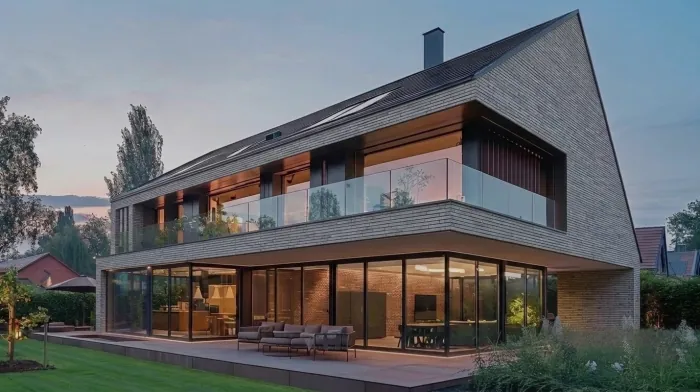
One house, three bricks.
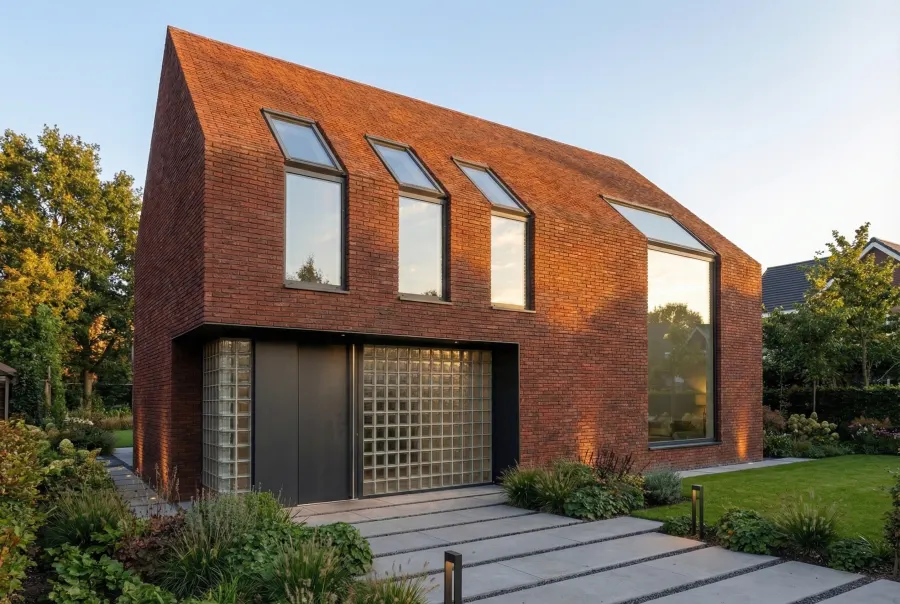
The house is an AI-generated image from our own archive, not a photo of a real building. The three variants come straight from the app: one marked area over the brick walls, one instruction, and a photo of a real brick sample as the reference each time.
02How it works
Mark the walls, attach the brick.
- Upload an image of your house.A photo from your phone works, and so does a visualization. JPG, PNG or WebP, up to 10 MB.
- Paint over the walls.Cover every wall that should change. Leave the windows, the roof and the garden outside the marked area.
- Attach a photo of the brick.A photo of a sample or a catalog swatch, pinned to the marked area. Add one sentence about the format and the bond if they matter.
- Swap the sample and compare.Go back to the same source, attach another brick and generate again. The marked area stays, and every version stays in the project, so you can put them side by side.
03What it does not do
The limits, honestly.
- The marked walls change. The rest stays.In the example, the roof, the glazing, the terrace and the garden stayed as they were. The new brick can also reach brick next to the marked area, so check every edge.
- Very dark bricks can come out a shade lighter or browner.In our tests, a black long brick came out dark brown. Check a dark result against the real sample.
- It is for choosing a direction, not for ordering material.The image shows how a color and a format could look on your house. Check the real brick outside, in daylight, before you order.
Can I use a photo of my own house?
Yes. A photo from your phone works, and so does a visualization from your architect. The house in the example is an AI-generated image; the steps are the same for a photo.
Can I try a specific brick?
Yes. Attach a photo of the sample to the marked walls. The app takes its color and format from the photo: in the example, the graphite, chestnut and grey bricks each came from a photo of a real sample.
Will the color match the real brick?
Not exactly. It is close enough to choose a direction, but very dark bricks can come out a shade lighter or browner. Check the real sample before you order.
How much does it cost?
You start with 3 free credits, no card required. One generation costs 1 credit. After that you buy a one-time credit pack when you need it. There is no subscription.
StartAccess
Try it on your own house.
Upload an image of your house and try one brick. You start with 3 free credits, no card required.