Room photo editorProposition Studio
Add, swap or remove furniture in a photo of your room.
Upload a photo of your own room. Paint over the lamp, the sofa or the table, write one sentence about what you want there, and see it in your room before you buy or move anything.
01Examples
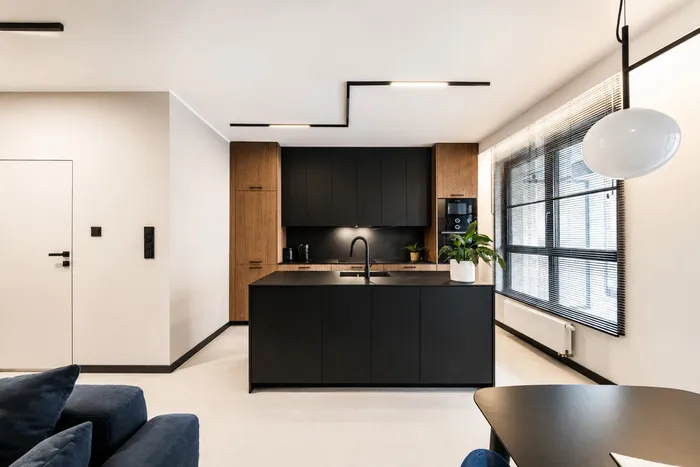
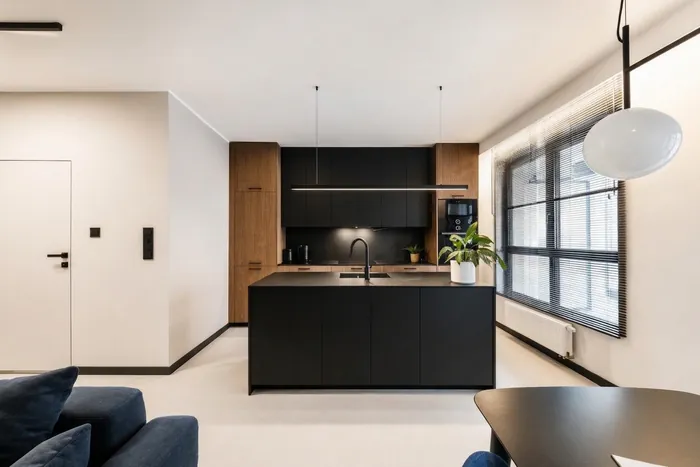
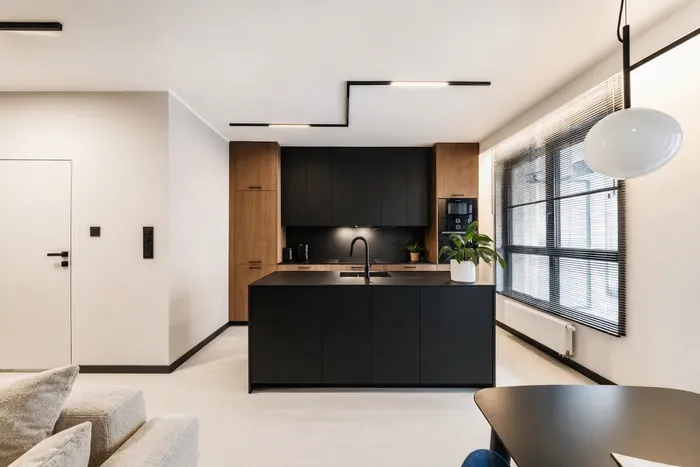
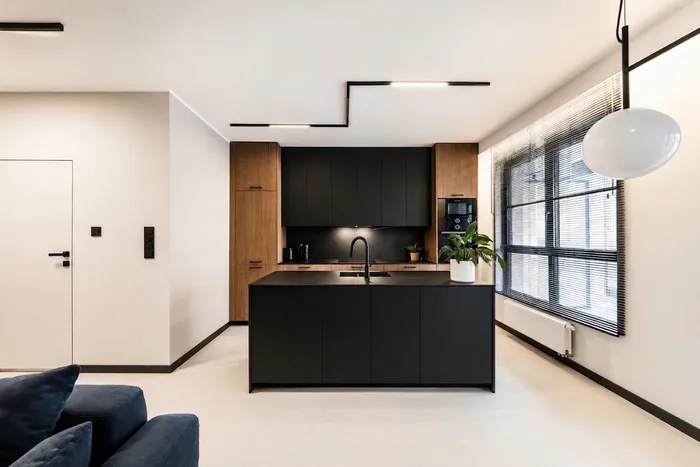
One photo, three changes.
All three start from the same photo of a real apartment. Each is a single edit with one marked area. The results come straight from the app.
02How it works
You show, then you say.
- Upload a photo of your room.A photo from your phone is enough. JPG, PNG or WebP, up to 10 MB.
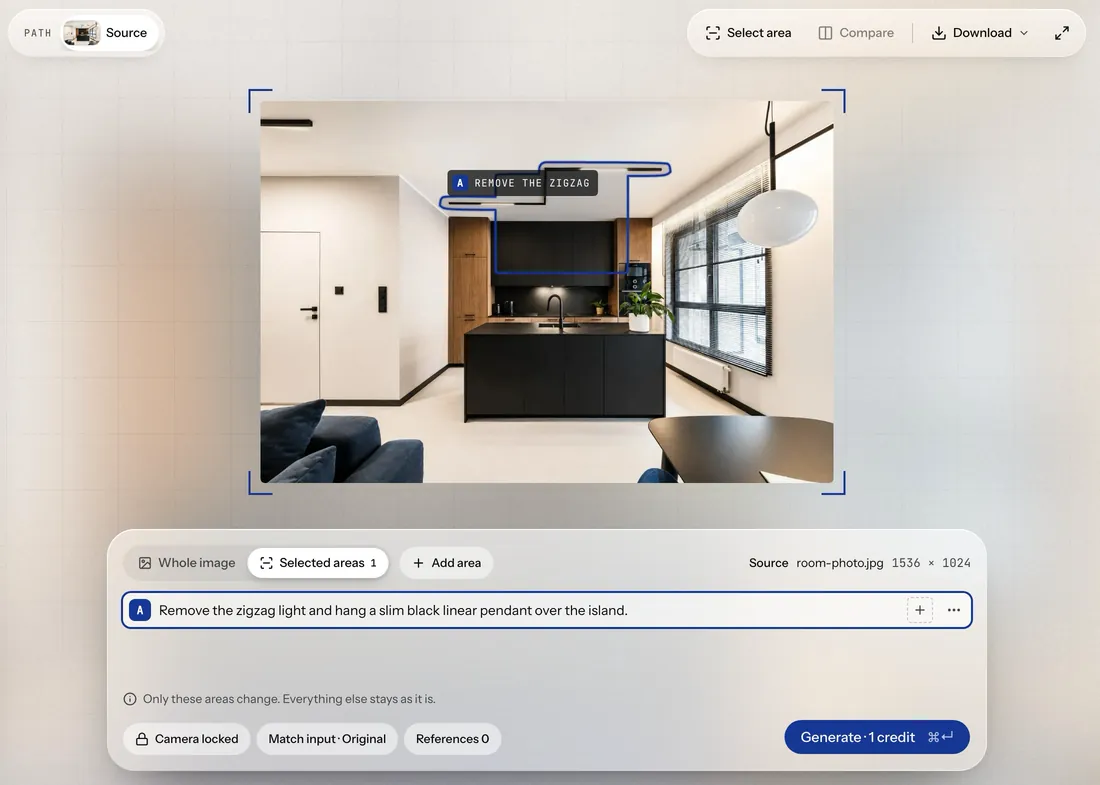
- Paint over what should change.The lamp, the sofa, the table. The marked area is the only place you ask the app to change.
- Say what you want there.One plain sentence: what to add, what to swap or what to remove.
- Generate and compare.One generation costs 1 credit. Compare the result with your photo, try another version and keep the one you like.
03What it does not do
The limits, honestly.
- Only what you mark changes.In the example without the table, the lamp above it stayed, because it was not marked. Mark everything you want gone.
- The result can come out a little smaller than your photo.The photo here was 1536 pixels wide; the results came back at 1264. That is enough to judge a change, but not for a large print.
- The light can shift slightly.A result can come out a touch darker than the photo, up to about 3% in these examples. Compare it with the original before you decide.
Can I add furniture to a photo of my room?
Yes. Paint over the place where it should go and describe it in one sentence. In the example above, a slim linear pendant was added over the kitchen island in place of the old ceiling light. Leave room around new pieces and check that they do not block doors or walkways.
Can I remove furniture from a photo?
Yes. Mark the piece and ask for it to be removed. The app fills the space with what would be behind it, like the floor and the wall where the dining table stood.
Will the rest of my room change?
Only the marked area is meant to change, and the camera stays where it was. The overall light can shift slightly, so compare each result with your photo.
What photo can I use?
Any photo of your room, including one from your phone. JPG, PNG or WebP, up to 10 MB.
How much does it cost?
You start with 3 free credits, no card required. One generation costs 1 credit. After that you buy a one-time credit pack when you need it. There is no subscription.
StartAccess
Try it on your own room.
Upload a photo of your room and change one thing. You start with 3 free credits, no card required.